How do I check the serial number?
You can find the Serial Number (SN) of the drone in the following four ways
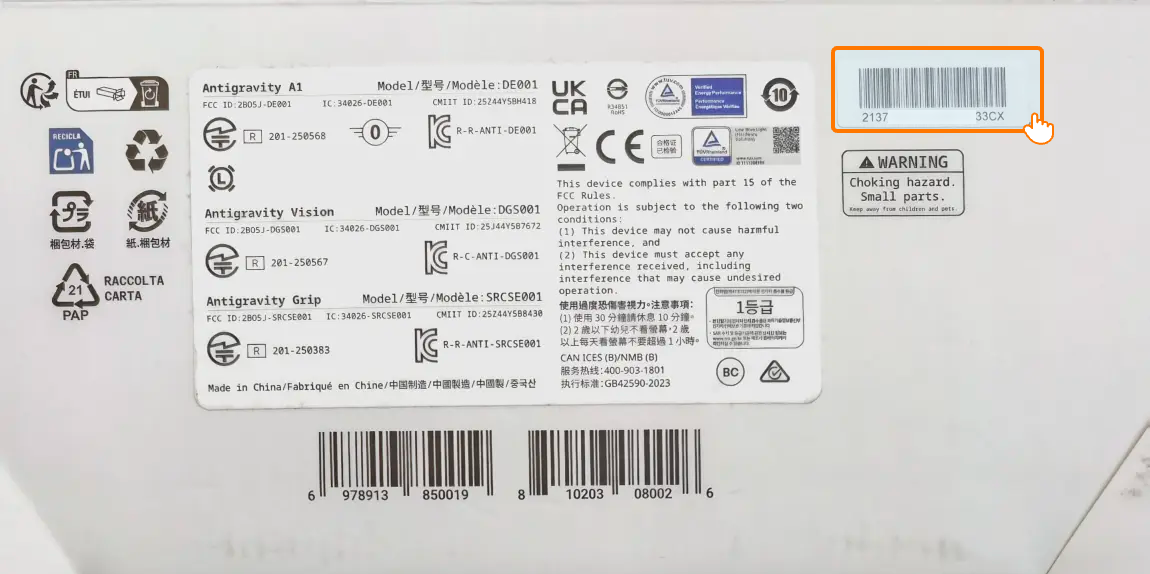
- Check the box: If you still have the box that came with your drone, you can find the SN label at the bottom of it.
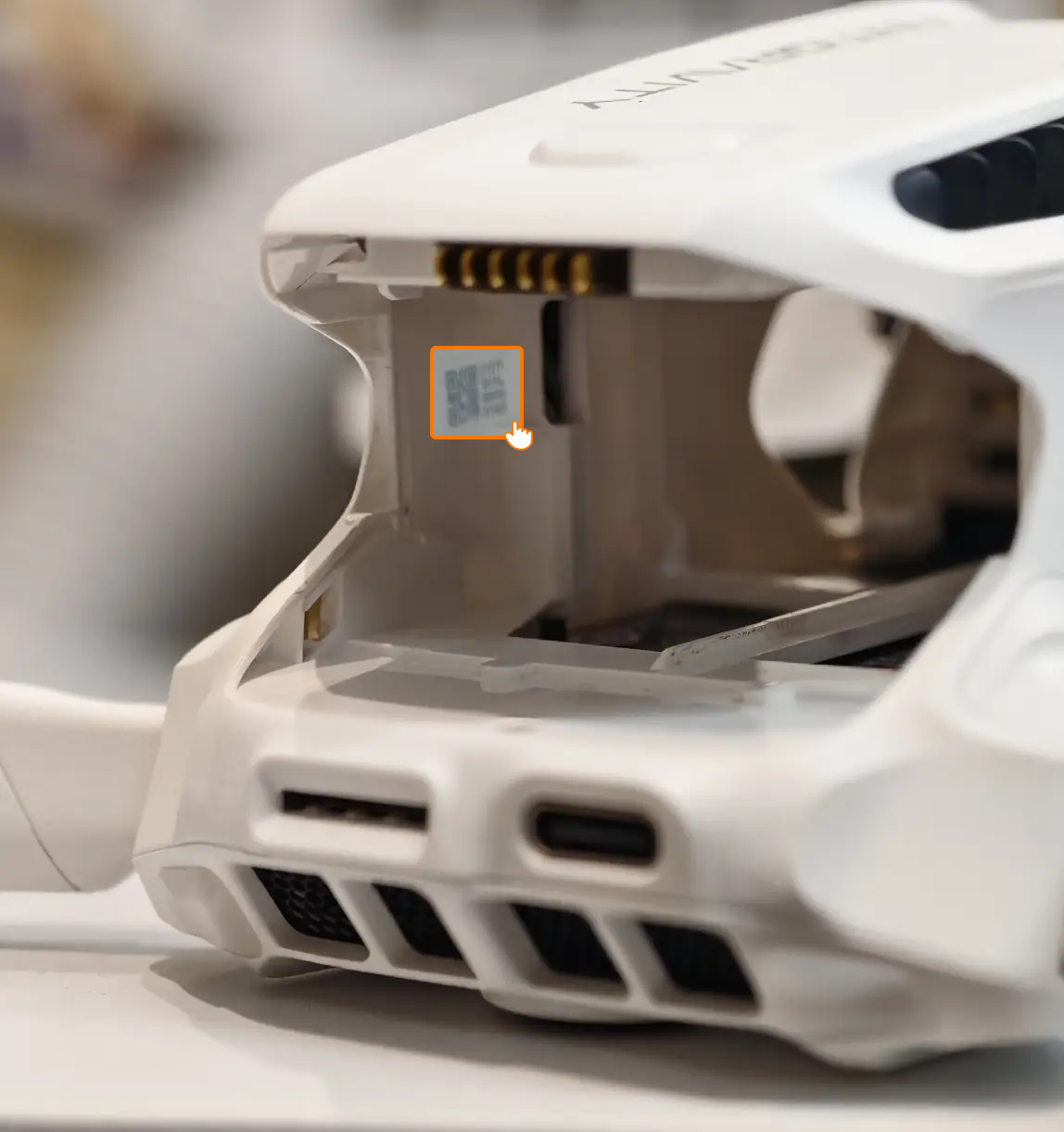
- Check the drone: Remove the battery and you'll see the SN label inside the battery compartment.
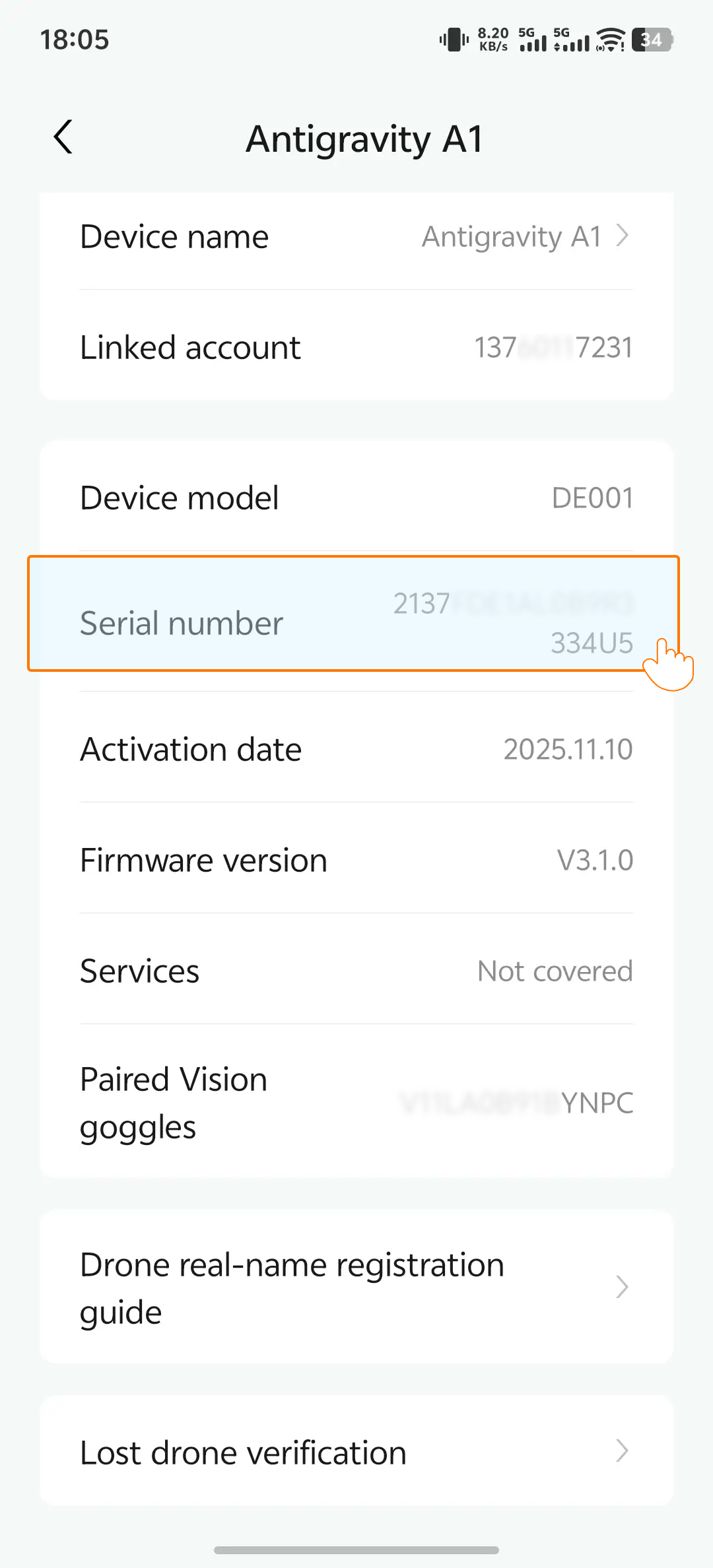
- In the mobile app: Open the app on your phone → go to Device Management, and you'll see the SN of the linked device. Press and hold to copy the SN.
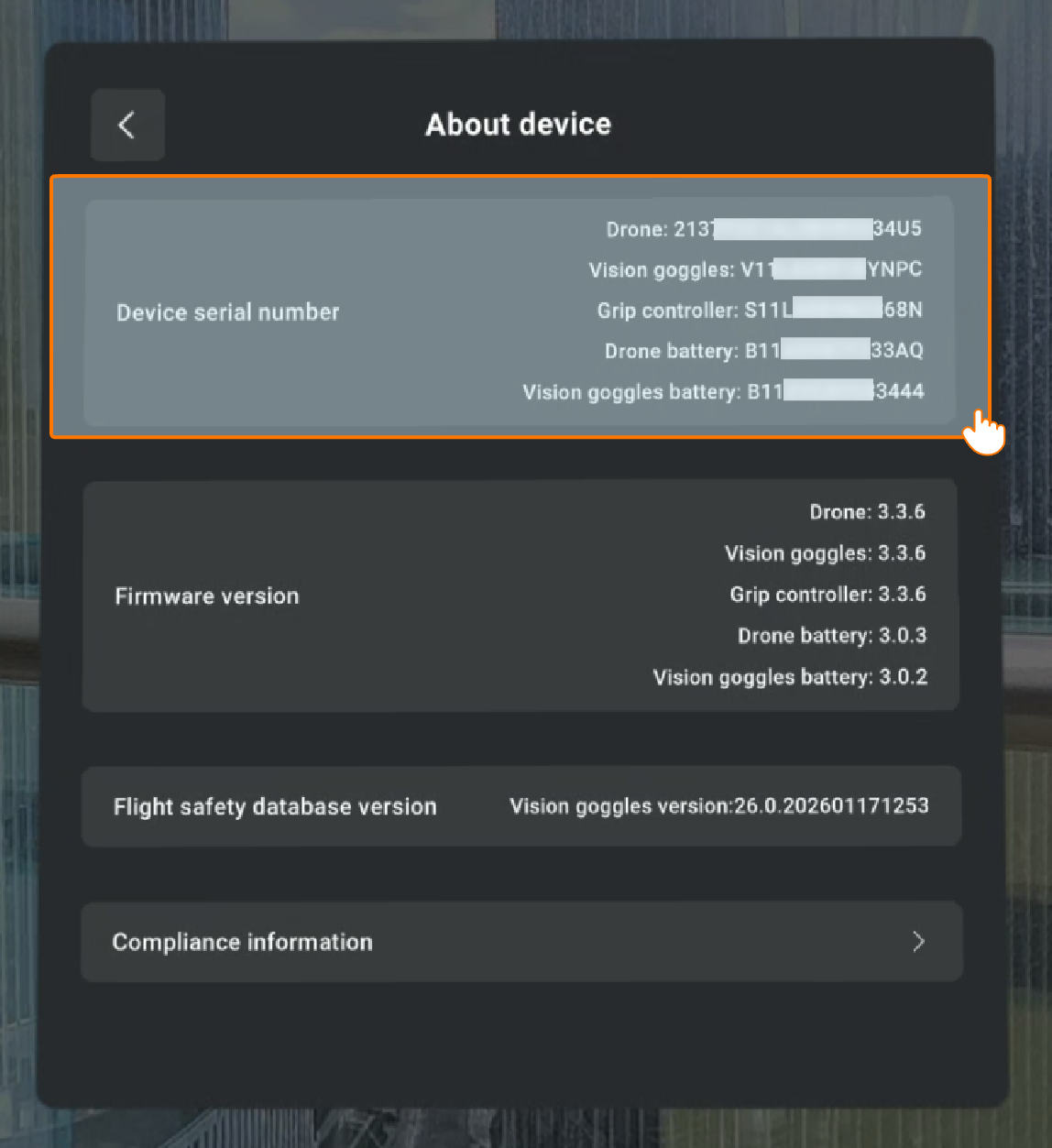
- Via the Vision goggles: If the drone is paired with your Vision goggles and Grip controller, you can go to Menu → General Settings → About Device to see the SN.
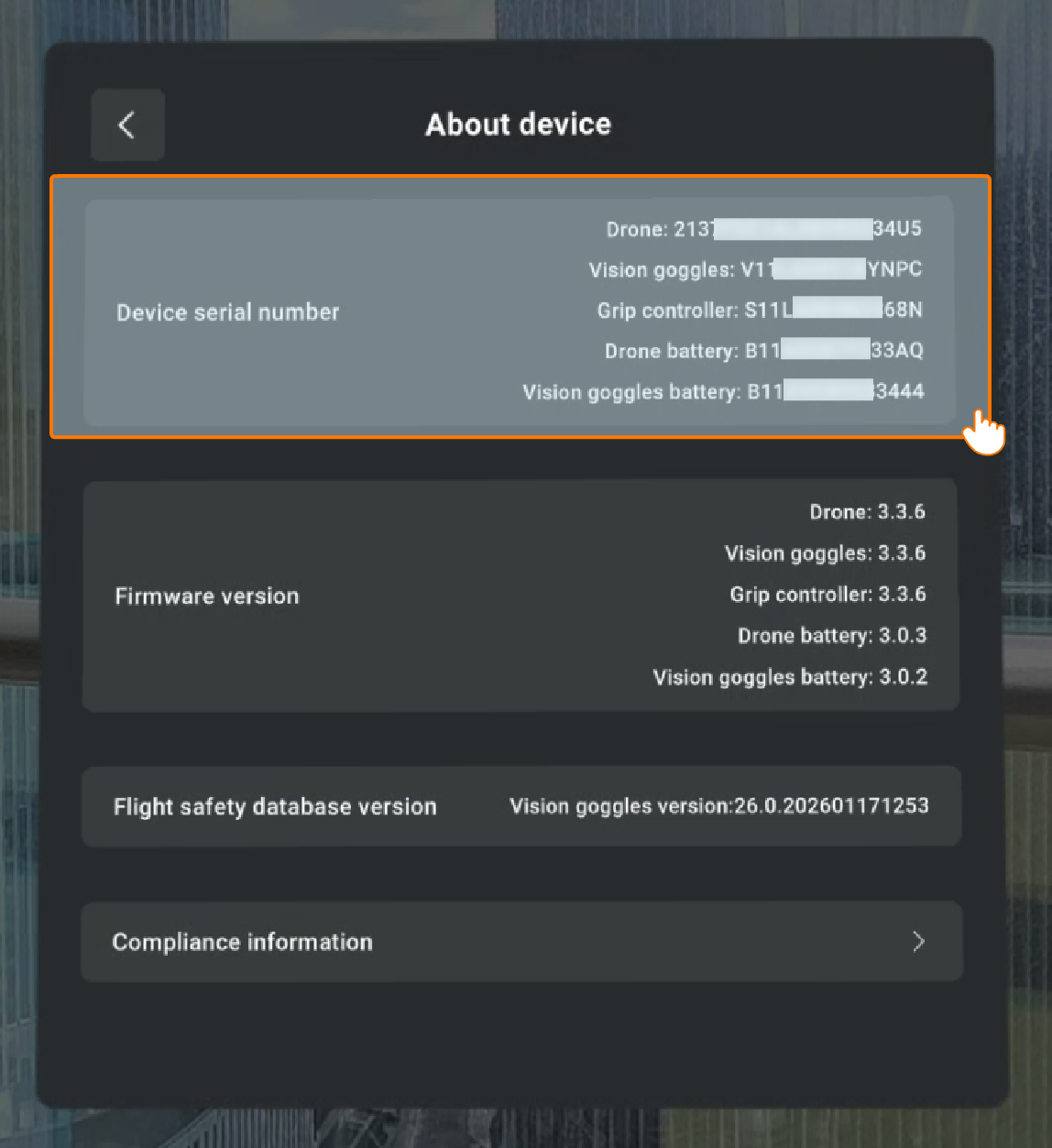
You can find the Serial Number (SN) of the Vision Goggles' in the following two ways
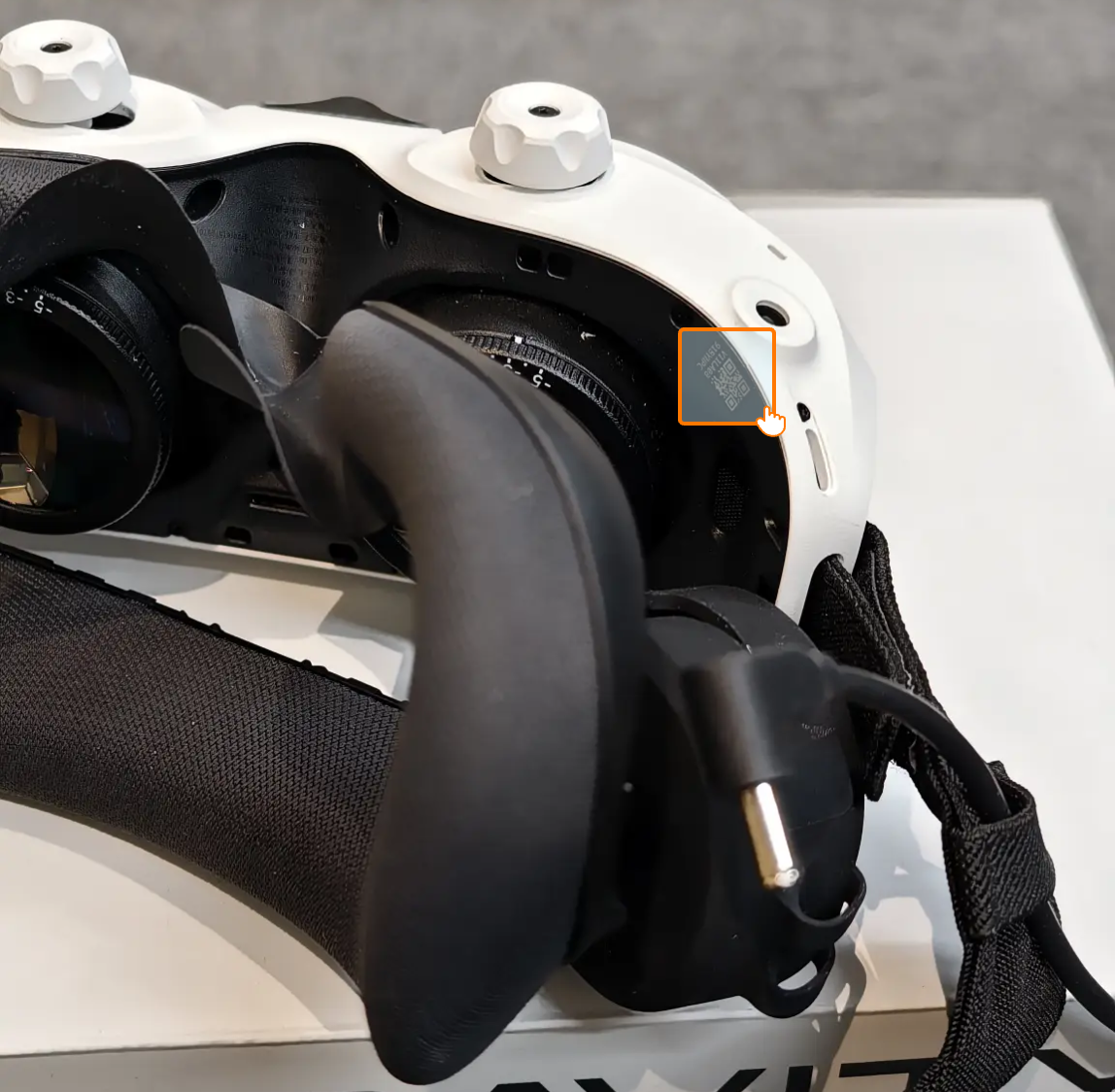
- Check the goggles: Remove the foam padding as per the instructions. The SN is engraved on the bottom-left corner.
- Via the Vision goggles: If the drone is paired with your Vision goggles and Grip controller, you can go to Menu → General Settings → About Device to see the SN.
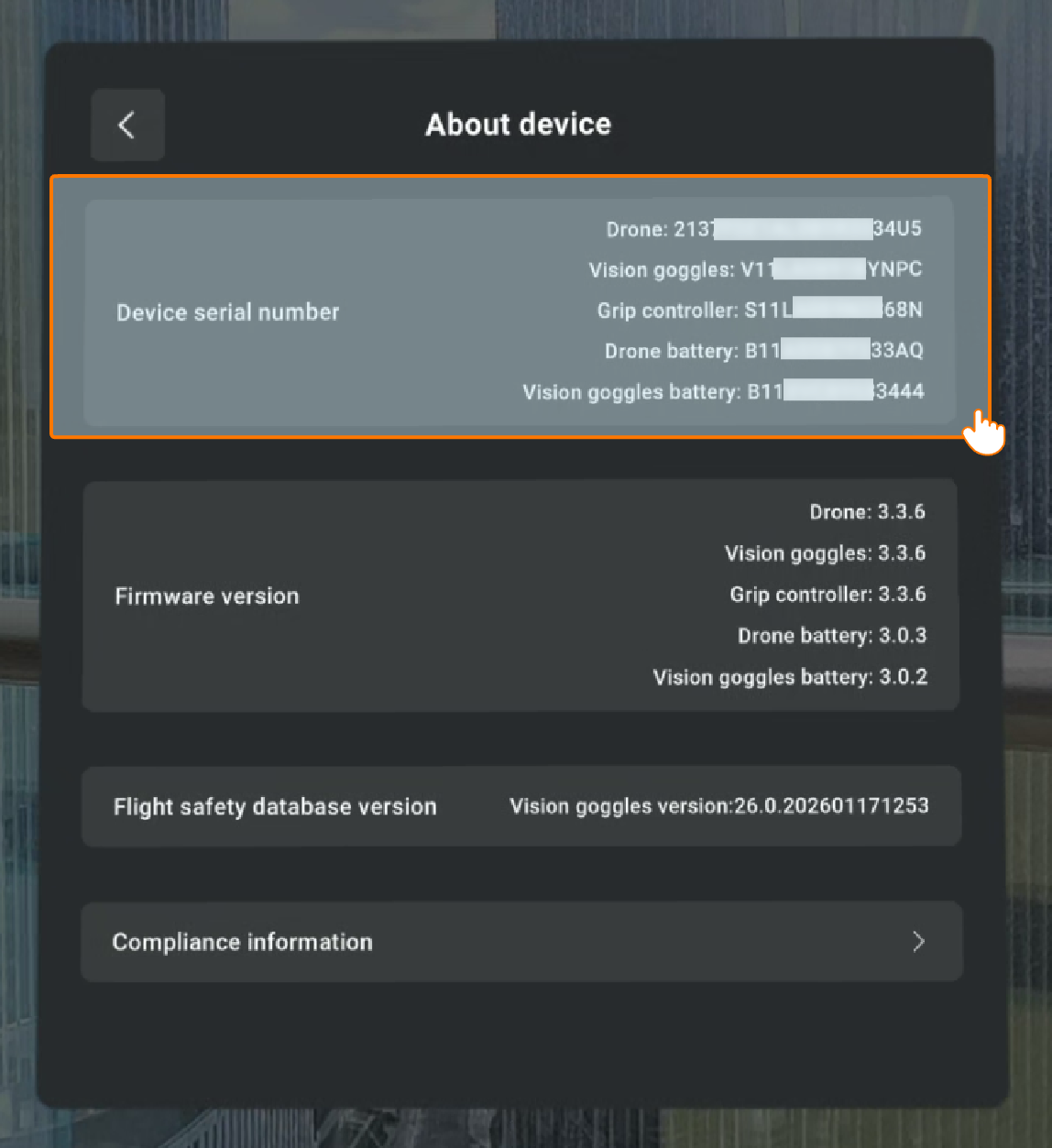
You can find the Serial Number (SN) of the Grip controller in the following two ways
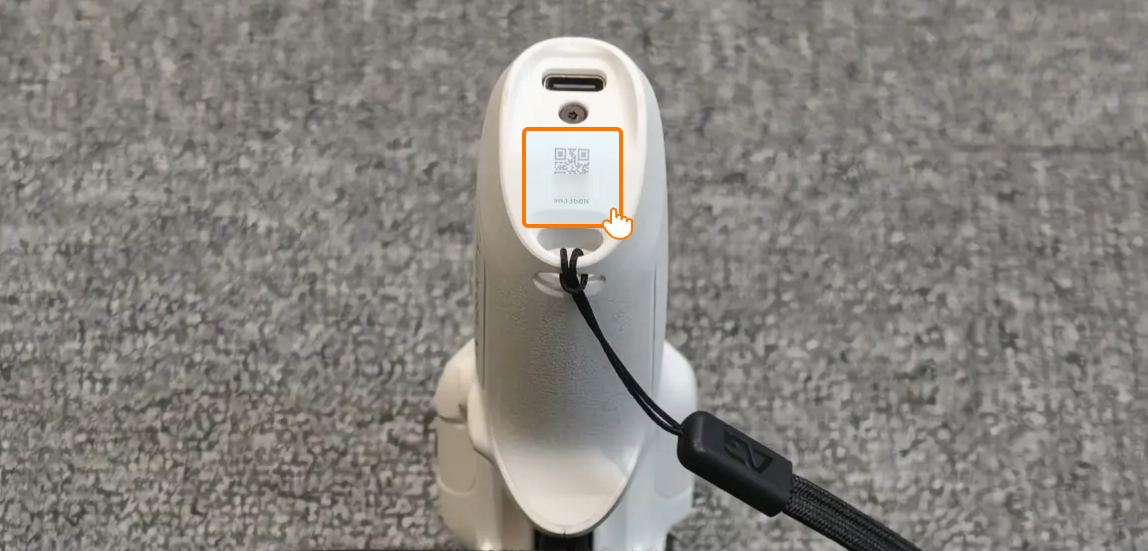
- Check the controller: The SN is engraved on the underside of the Grip controller.
- Via the Vision goggles: If the drone is paired with your Vision goggles and Grip controller, you can go to Menu → General Settings → About Device to see the SN.